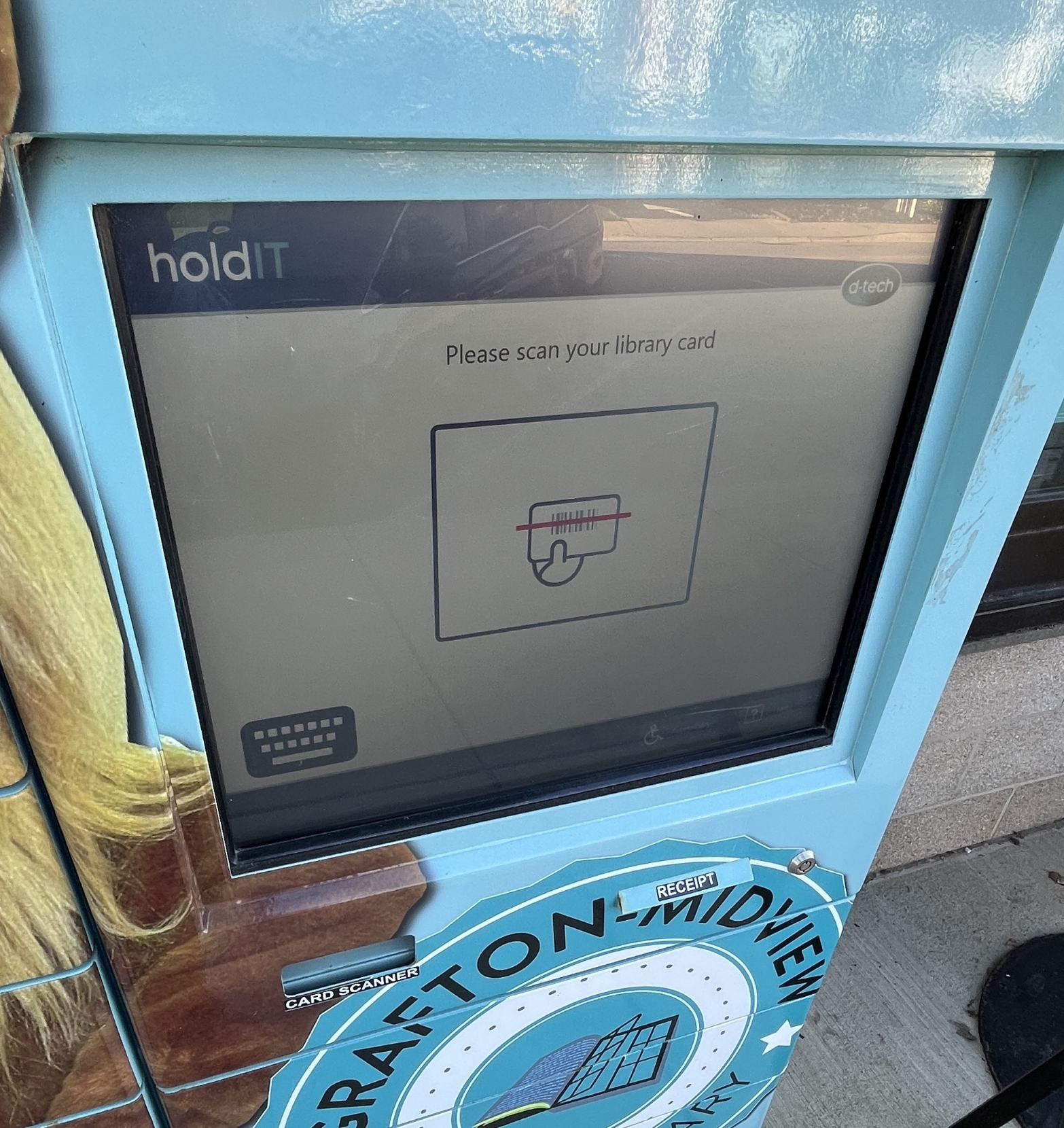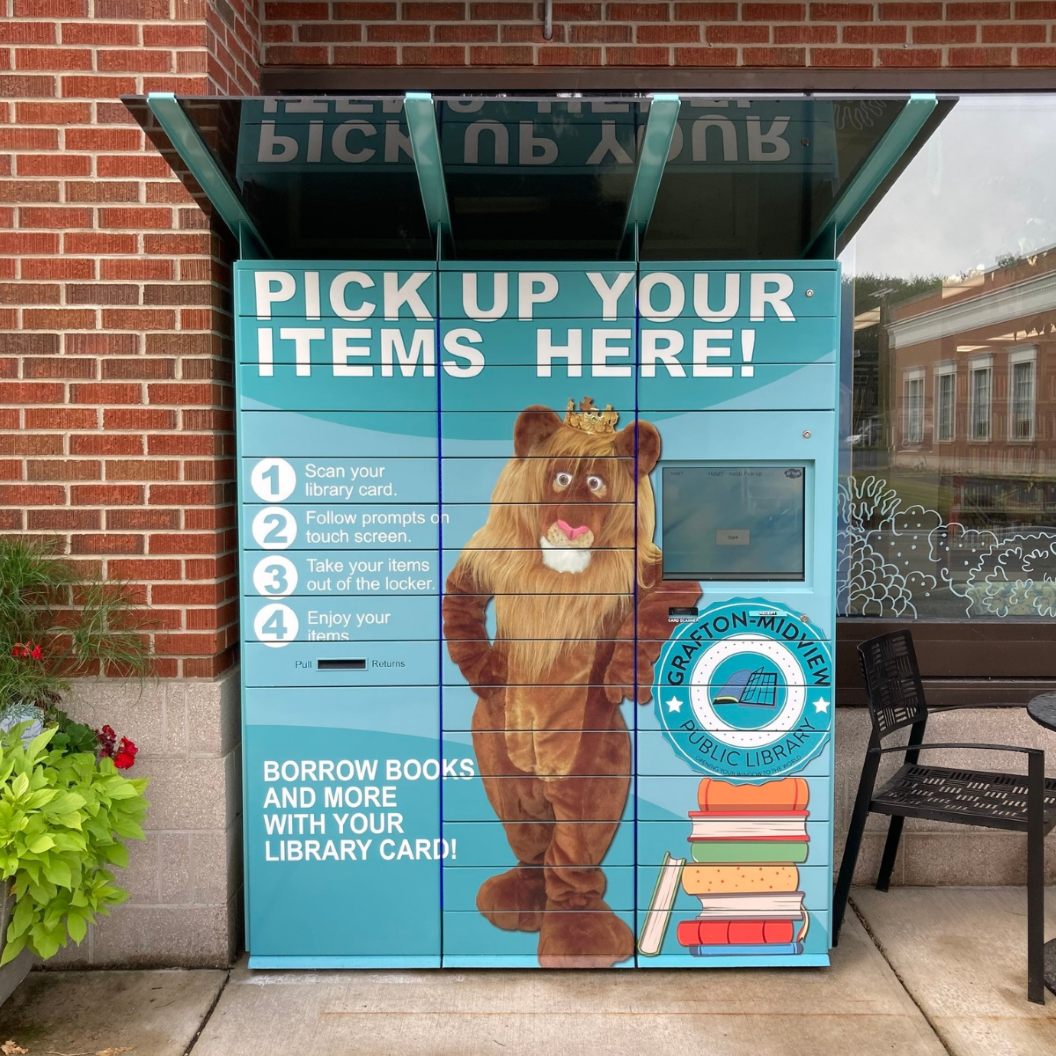
The Grafton-Midview Public Library offers the option for a borrower to choose the 24/7 Pickup Lockers for most items that are available to be placed on hold. The 24/7 Pickup Lockers provide access during hours or days that the Library is closed because we know that your schedule might not always align with the hours we are open.
There are some items that cannot go into a locker due to size or temperature sensitivity (hotspots, STEM kits, puppet kits, etc...). These lockers are located at the front of the building next to the main entrance and area available 24/7. A GMPL library card is required to retrieve items, either the card to scan or the number, which can be typed in on the screen.
Please remember that if you have overdue items or any fees on your account, you cannot retrieve items from the lockers due to the library policy regarding such. Also, if you reach the maximum numbers of items out on your account, you cannot retrieve items until some are returned.
There is a return drawer available in the lockers. Simply place items in the drawer and when you push it back in the items drop into the return bin. Please note that this does not check-in those items and if those items are overdue, anything in the lockers cannot be retrieved until staff retrieves items from the return bin.
Technical and mechanical issues do come up sometimes with any system like the 24/7 Pickup Lockers, so please contact the Library if you run into any problems accessing your items. We will post online when there are known technical issues causing problems with pickups.
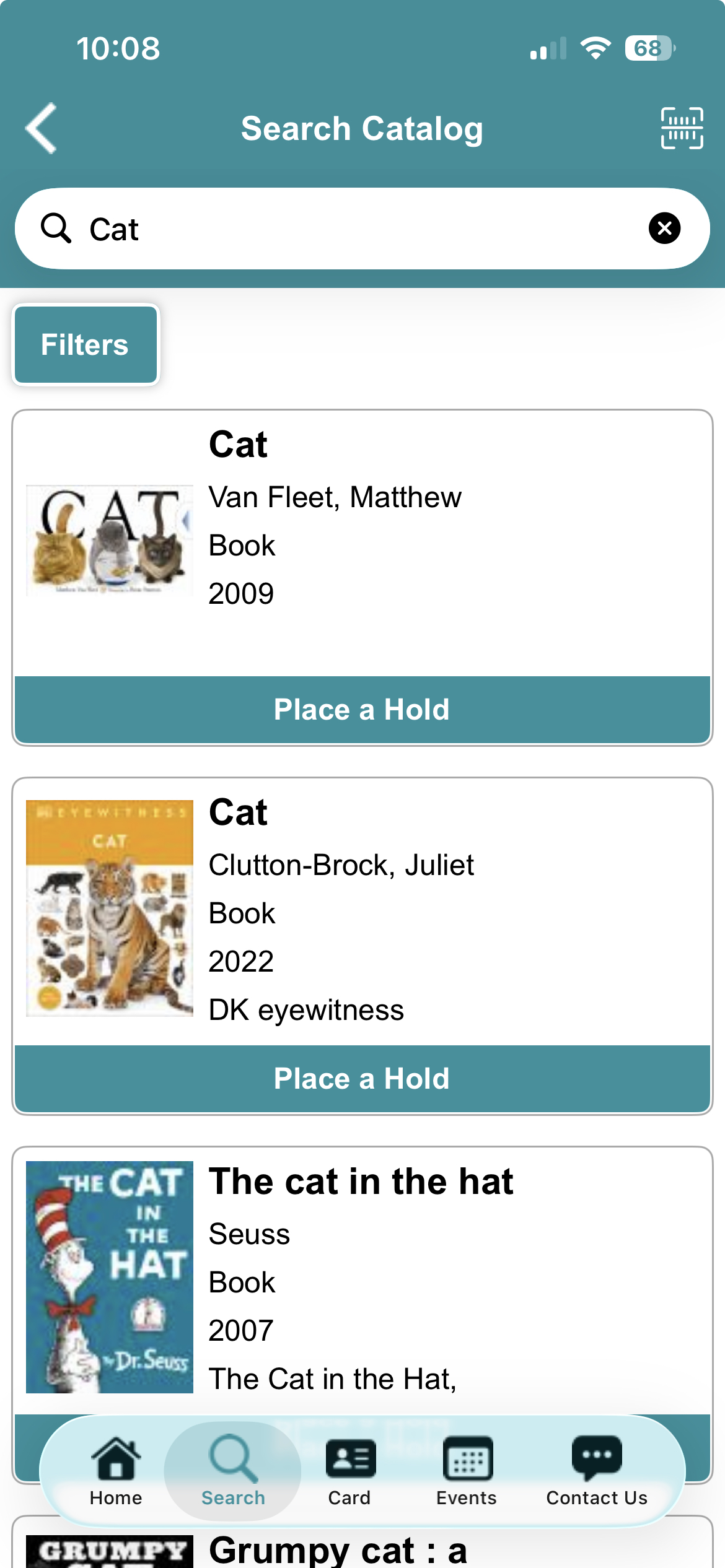
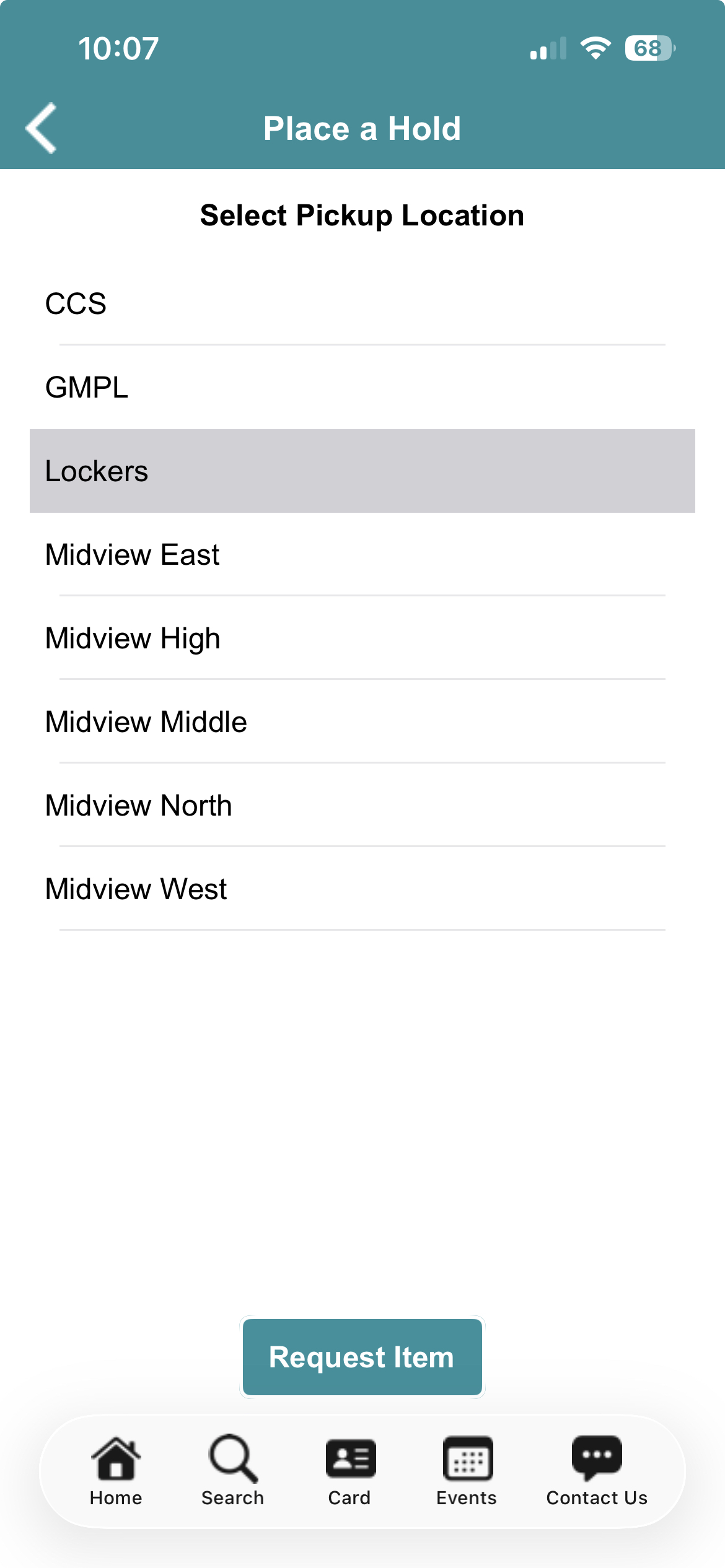
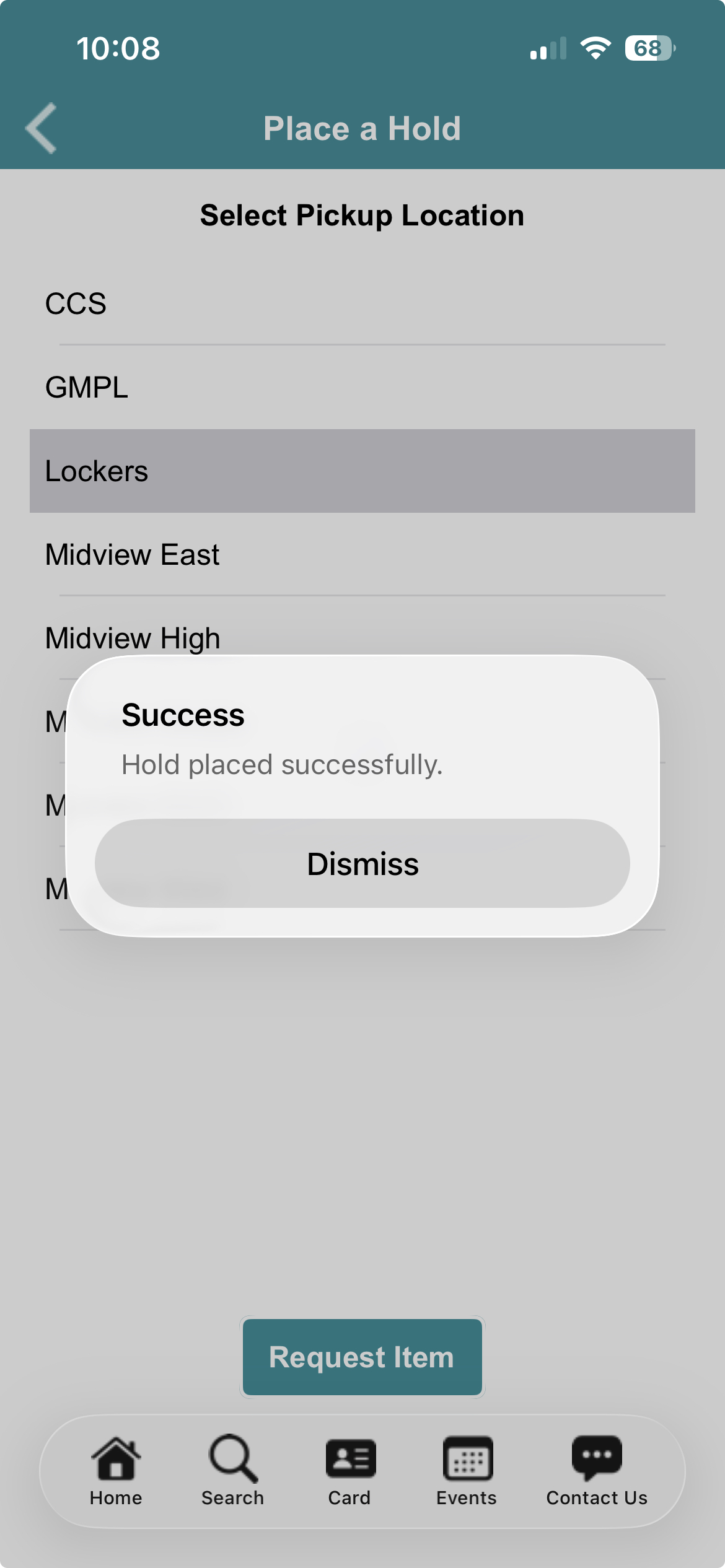
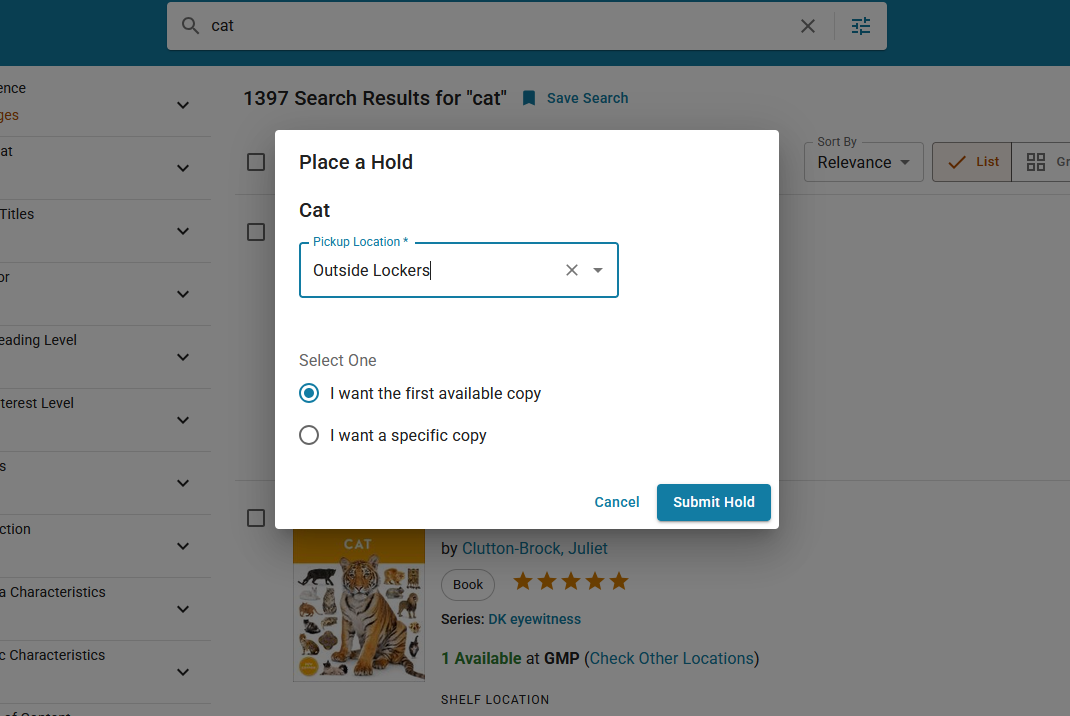
Choosing the 24/7 Lockers as the Pickup Location
In order to use the 24/7 Lockers, you must have a GMPL card and log into your account through the website or app to place holds on items in the catalog. The screenshots above show the process using the GMPL app.
- Log into your account (card # and PIN are required). Use all of the numbers on the card with no spaces. The default PIN is the last 4 digits of your phone # on record,
- Find an item(s) in the catalog which you like to place on hold.
- Click or tap the "Place a Hold" button.
- Choose the Lockers as you pickup location.
- Wait for the arrived hold notice. It will be an email, text, or phone call based on your account preferences.
Picking Up Your Items at the 24/7 Lockers
Make sure that you have received your arrived hold notice before trying to pick anything up. Library staff will try to get your requests into the lockers as quickly as possible.
- Scan your card at the lockers using the scanner below the screen. It's best to hold your card around 6 inches away, not right against the scanner. Align the red scanner line with your barcode until it beeps.
- Listen and watch for a door (or doors) to pop open. Remember that sometimes the door does not open wide due to outside temperatures or other variables. The locks do fail sometimes too, so please let us know if something malfunctions.
- Retrieve your items from the locker(s) and close the door. You will feel the lock engage.
- On the screen, choose your receipt option (print or email). Email will only work if you have an email in your account information.
- You can always confirm item status in your account online, in the app, or by speaking with a staff member if you are unsure.
- Enjoy your item(s)!